Movies and series

One movie, one poster.

Your provider lists the same film in several qualities and languages. Theia shows it once, remembers where you stopped, and has the next episode counting down before the credits end.

Free  Movies and series come from an Xtream login. A playlist link puts everything in Live TV.

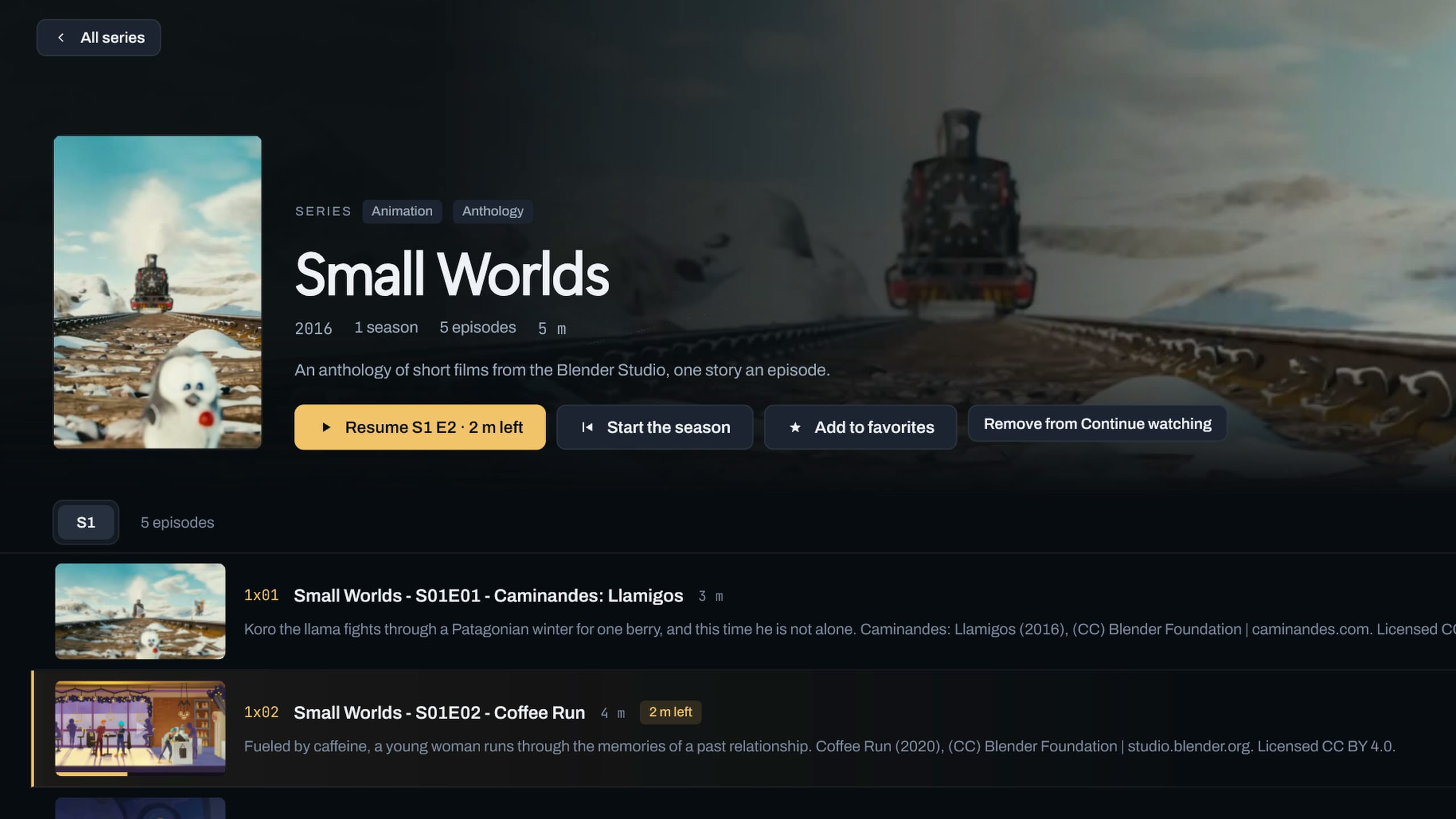
The Movies screen: a row of open-movie posters with their year, one movie opened with Play, then a series opened with Resume on its second episode.

One poster, however many copies.

When your provider lists a movie or series more than once, the grid shows it once with a small label such as 3 versions. Its page lists them all, so you can pick the quality or language you want.

Theia opens the version you played last. Otherwise a 4K screen that can play it gets the 4K one first. A movie's place carries over from one version to another.

One poster in the grid

Night Lantern2019 · Movie3 versions

A made-up movie. Its page lists every version your provider has.
Pick up where you stopped.

Come back to a movie and Resume picks up with the time left beside it. In a series, the main button plays the next episode, such as Resume S2 E3.

Near the end of an episode, a card counts down from 10 to the next one, with Play now and Cancel. It carries on into the next season, and an episode counts as watched once you've seen 92 percent of it.

Series page

The next-episode card, at the bottom right of the player.

Find a title by name, typos and all.

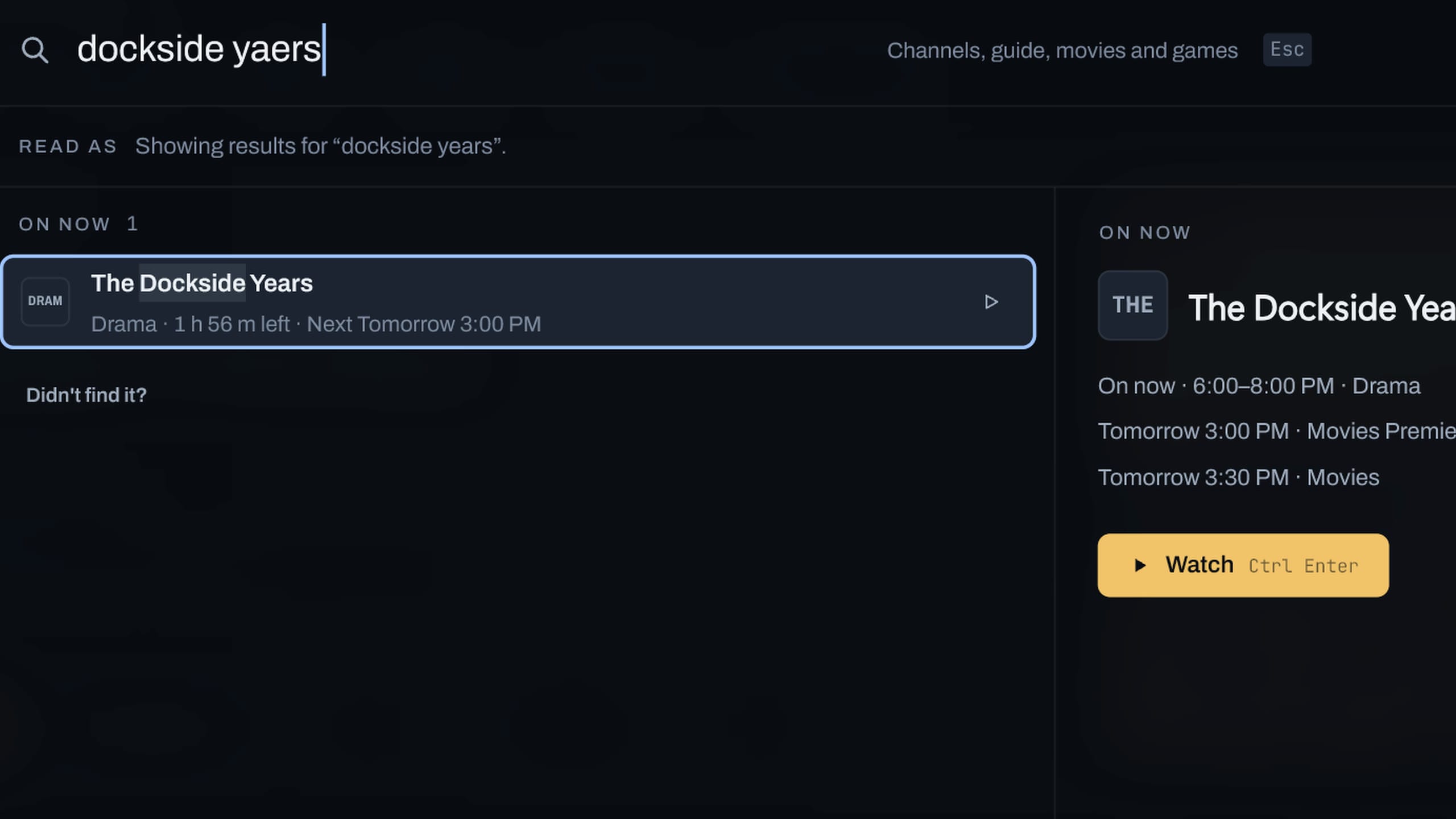
Type a title in the search box and movies and series come up beside your channels and the guide. A name spelled half right still finds it.

Continue watching sits on Home, so what you started is one click away.

Theia's search: a misspelled name typed in the box and the matching channels, shows, movies and series listed below it.

Make the most of it

Small things that make a library easier.

  1. Sort the way you shop

    Sort a category by Recently added, Title, Year or Rating.

  2. Get new titles now

    New titles show up at the source’s next refresh, every 12 hours unless you change it. Refresh channels on the source’s page does it straight away.

  3. Choose your version

    A title with 3 versions lists them all on its page, so you can pick the quality or language you want.

  4. Pick your sound and subtitles

    Audio track and Subtitles are buttons in the player. The subtitles panel also takes a subtitle file: paste its path and click Load.

  5. Keep the next episode quiet

    Turn off Auto-play next episode in Settings > Playback and the card waits for you.

  6. Clear what you finished

    Remove a title from Continue watching on Home when you’re done with it.

Questions

Why are my movies in Live TV?

Movies and series come from Xtream logins. A playlist link (M3U) puts everything in Live TV as channels, including any movies your provider added to it. If your provider gave you both, add the Xtream login. Getting started has the steps.

Why does a poster show only a name?

Posters come from your provider. A title without one shows its initials and name on a colored tile.

Does it work on a TV?

Yes. OK plays and pauses, Left and Right go back or forward 10 seconds, and Back leaves the player.

Is this part of Premium?

No. Movies and series are in the free app. See what Premium adds.

Press play. Theia remembers the rest.