Streams that fix themselves

Your stream drops. Theia picks it back up.

Frozen pictures and dropped streams used to mean reloads and guesswork. Theia reconnects on its own, moves to a steadier copy of the channel, and tells you in plain words when the trouble is somewhere else.

Free  Every part of this is in the free app.

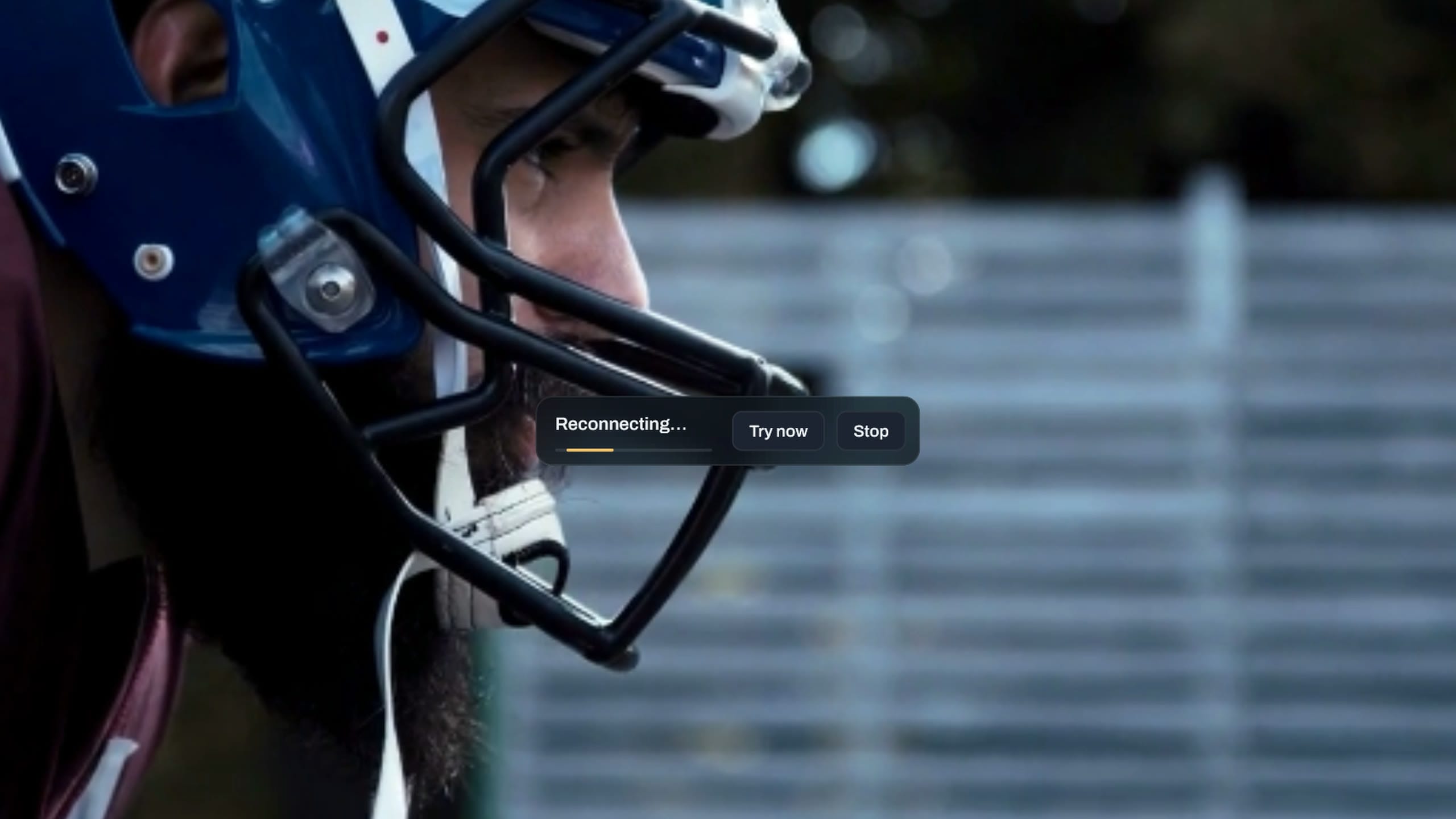
A demo channel playing full screen. Its stream stops, the picture holds while Theia shows Reconnecting with Try now and Stop, and the picture comes back by itself.

A dropped stream comes back by itself.

When a playing stream cuts out, Theia holds the last picture and keeps reconnecting for up to ten minutes. Try now and Stop sit right on screen if you'd rather not wait.

A channel that won't start gets the same care. Theia tries each quality it comes in, then the same channel on your other source, before it stops and tells you why.

A playing stream drops

Up to 10 minutes of tries, with Try now and Stop on screen

A channel won't start

  1. FHD8 s
  2. HD8 s
  3. SD8 s
  4. Other source15 s
  5. Says why

Each quality gets about 8 seconds. The same channel on another source comes last.
Freezing? It moves to a steadier copy.

Providers often list a channel several times, in UHD, FHD, HD and SD. Theia folds those copies into one channel, measures how well each one arrives, and moves to the fastest when yours can't keep up. It remembers which ones hold up.

If no copy keeps up, Theia drops to a lower quality for a while, tells you, and climbs back once the better stream holds.

Sports 1 · 4 copies in your playlist

  • UHDToo slow
  • FHDFreezing
  • HDKeeping up
  • SDReady

Playing HD, the copy that keeps up

One click tells you where it broke.

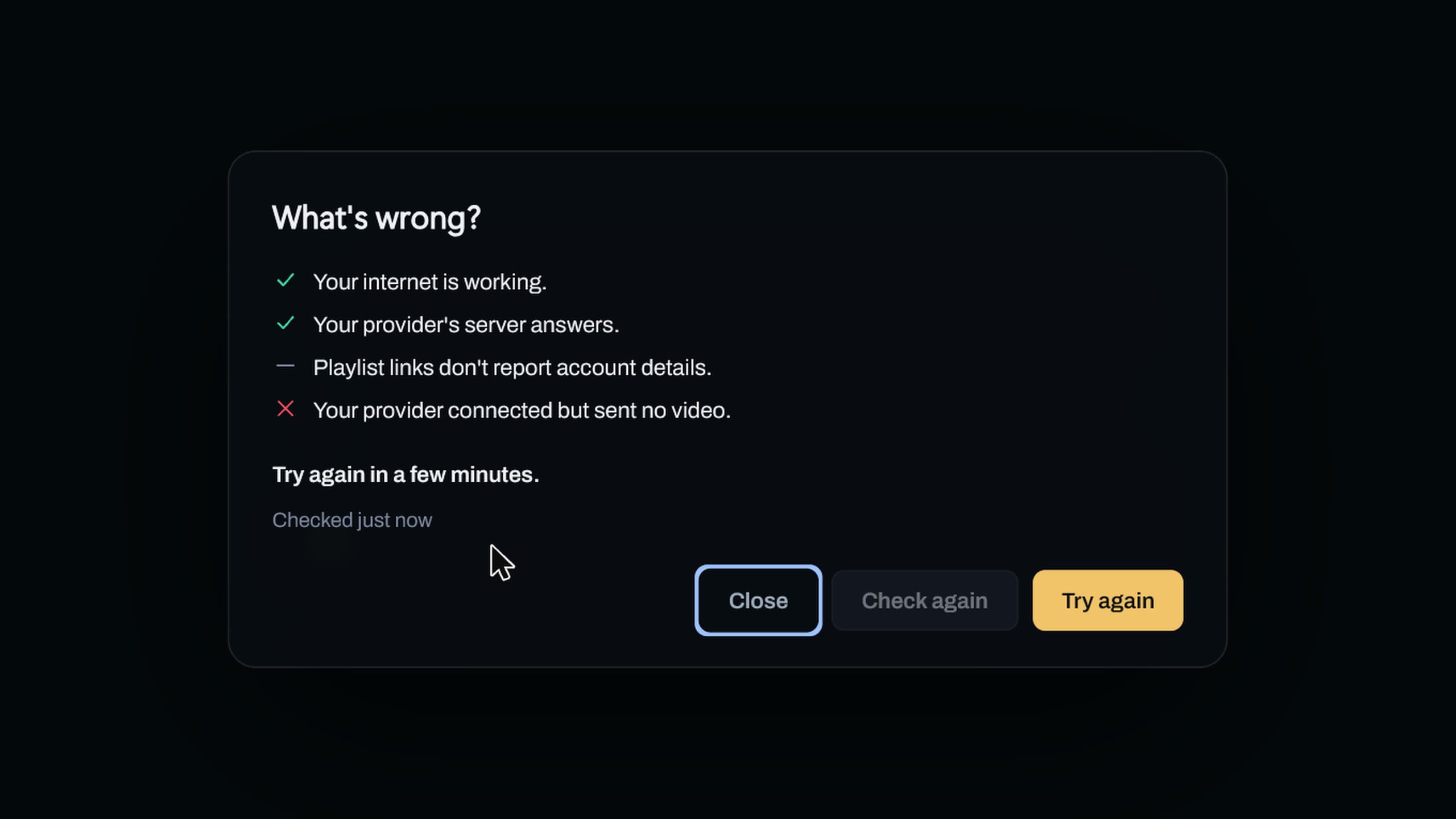
When a channel won't play, Playback status checks each step between you and your provider, then names the one that failed and what to do next. It never opens a stream to test.

  1. Your internet
  2. Your VPN, if you use one
  3. Your provider's server
  4. Your account
A demo channel that won't play. Playback status checks the connection and says the provider connected but sent no video, so try again in a few minutes.

Messages that make sense.

A channel that's really gone is checked against your provider's list before Theia says so. Every other message says what happened in plain words and puts the next step on a button.

Report a problem is on most cards too. Sign-ins, server addresses and channel names come out first, and nothing goes until you click Send report.

This channel is gone from your provider’s list.Refresh playlist
Your provider rejected the connection.RetryCheck account
Can’t reach live.example.netPlayback status

Messages from Theia's error cards.

Make the most of it

Small settings that keep the picture steady.

  1. Tell Theia your stream limit

    Set Streams allowed on each source. When you reach it, Theia names what’s using your streams and offers to close one.

  2. Keep channel copies together

    Group channel variants in Settings > Interface is on from the start. It gives Theia the other copies of a channel to move to.

  3. Give a bursty server room

    If a server sends video in bursts, a longer Buffer duration in Settings > Playback rides them out. Off starts fastest.

  4. Try HLS through a VPN

    On an Xtream source, set Live stream format to HLS (m3u8). It holds up better through a VPN or a busy server.

  5. Slow down fast flipping

    If channels fail to start when you switch quickly, raise Channel zapping delay in Settings > Playback.

  6. Check a source any time

    Check connection on a source’s card in Settings > Sources runs the Playback status check without waiting for a channel to fail.

Questions

Can Theia fix a slow provider?

No player can make a server send video faster than it does. Theia moves to the fastest copy it knows and steps down in quality when nothing keeps up. If the channel fails in another app too, the trouble is with the provider or the connection.

Can I turn feed switching off?

Yes. Lower quality to stop buffering and Offer to switch freezing streams are both in Settings > Playback.

Is this part of Premium?

No. All of it is in the free app, Playback status included.

What if my internet provider blocks the stream?

Playback status says so when it looks that way. Sending Theia through a VPN usually fixes it, and Set up your VPN takes you there. VPN setup has the steps.