Guide and Live TV

Browse the guide. Keep the show.

Scrolling a guide shouldn't cost you the show you're watching. Theia plays your channel in a live preview above the grid, so you can read the whole evening and never lose the picture.

Free  The guide, rewind and catch-up are all in the free app.

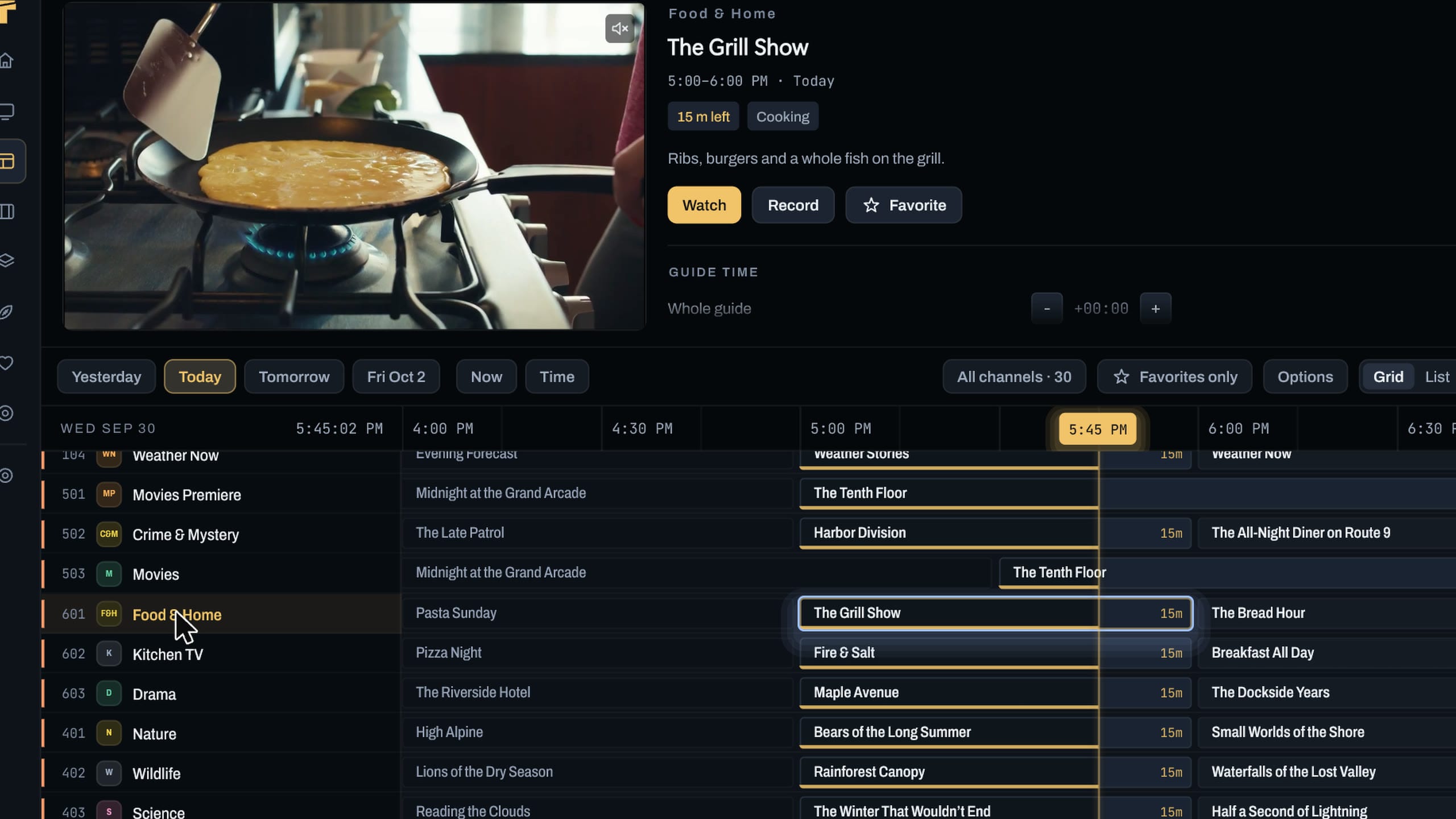
The guide in Theia: a demo channel playing in the preview above a grid of demo channels and programs, with a line at the current time.

The picture stays while you browse.

The preview above the grid keeps playing as you move around with the mouse, the keyboard or a remote. Click a program for its details, a channel to switch, or right-click either for Watch, Preview and Record.

Leave the player and your channel keeps going in the corner, so you can go and look for what's next.

The Live TV screen: a demo channel playing in a big preview with what's on now and next, beside a list of demo channels.

Jump to any day or hour.

Pick a group, switch between a grid and a list, and go straight to a day or an hour. Yesterday, Today, Tomorrow and the days after sit in a row above the grid.

Your channels, your names. Favorite what you watch, hide what you don't, and call any channel what you actually call it.

The guide's days row and grid in Theia: Yesterday, Today, Tomorrow and later days, then a grid of demo channels with the current time marked.

Pause live TV. Go back over what you missed.

Live rewind holds the last few minutes of the channel you're on. Pause, go back, and carry on from where you left off.

Where your provider offers catch-up, the channel carries a small ring in the guide and past programs play from the start.

Live rewind, held for you

  • Computerabout 5 min
  • TV boxabout 2 min
  • Stick with 1 to 1.5 GBabout 1 min

What Theia holds depends on the memory your device has.

Keep it in the corner while you work.

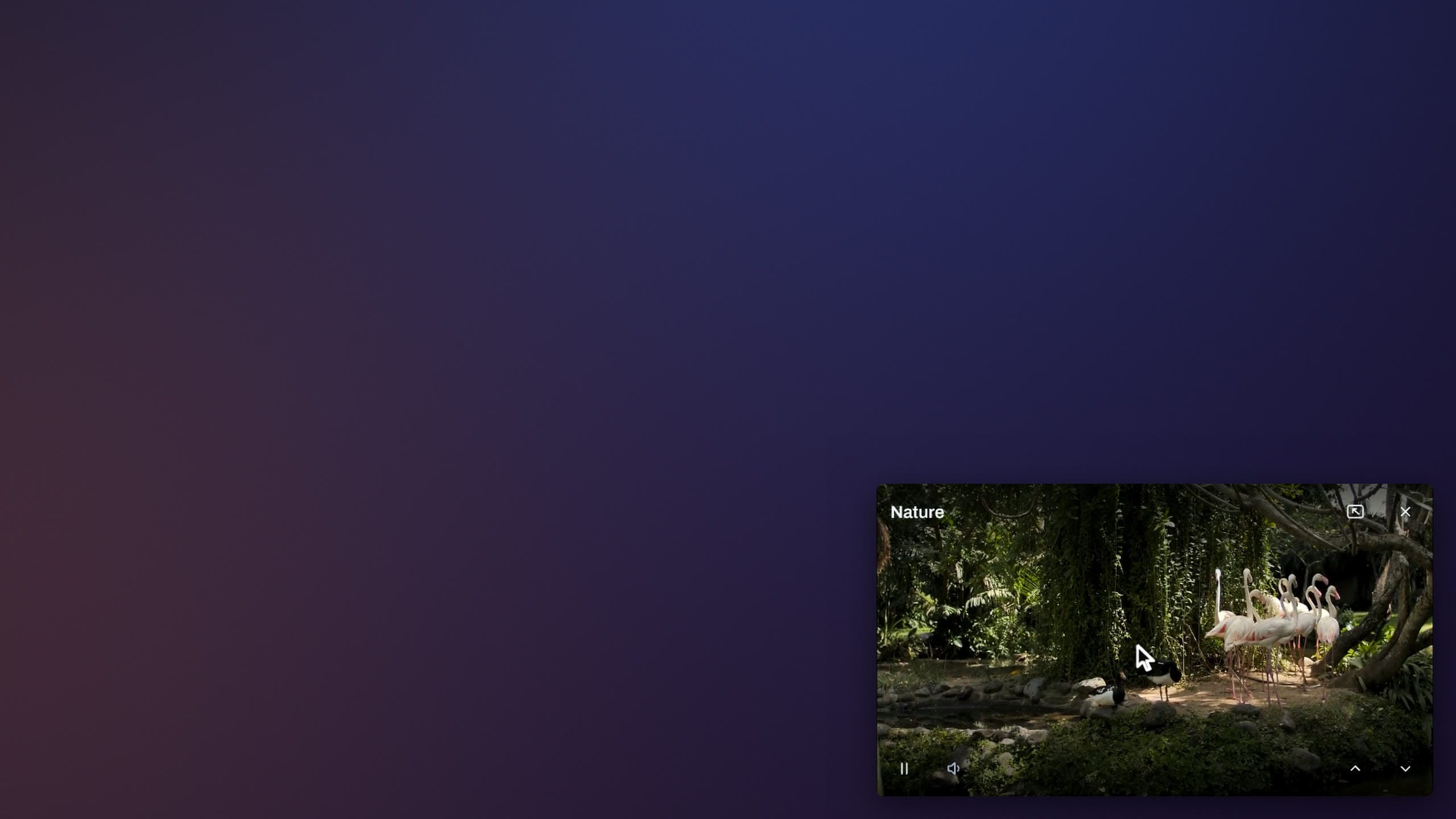
The mini player puts a channel in a small window that stays on top of your other apps. It's on Windows and Mac.

A demo channel playing full screen, then in Theia's mini player: a small window in the corner of the screen, still playing.

Make the most of it

Small things that make the guide yours.

  1. Leave the player, keep the channel

    Go back from the player and the channel keeps playing in the corner or in the preview. Settings > Playback switches it off.

  2. One page for both

    On Windows, Mac and TV, Live TV and the guide share a screen. A List | Guide switch at the top changes between them, and Theia opens on the one you used last.

  3. Look back a day

    Jump to an earlier day or hour. A program with catch-up plays from the start.

  4. Clean up channels

    Clean up channels hides every country, language and kind you never watch, in one step.

  5. Make it bigger

    Interface size runs from 80 to 150 percent, so the guide reads from wherever you sit.

  6. Pick a theme

    Midnight and Daylight are free. Premium adds Slate, OLED Black, Ember, Arctic and accent colors.

Questions

Where does the guide come from?

From your provider. If your service gives you a separate guide link (XMLTV), add it too and Theia matches it to your channels. Getting started has the steps.

Is catch-up on every channel?

Only where your provider offers it. Those channels carry a small ring in the guide, and a past program you can replay says Watch from start.

How far back can I rewind live TV?

About 5 minutes on a computer, about 2 minutes on a TV box and about 1 minute on a stick with 1 to 1.5 GB of memory.

Is the guide part of Premium?

No. The guide, the live preview, rewind, catch-up and the mini player are all in the free app. See what Premium adds.

Find what's on without leaving what's on.